Blog

  • this is a title

    An infographic is a powerful way to communicate data, ideas and knowledge in a visual format. It combines visual elements like charts, diagrams and illustrations, along with minimal text to explain topics in a way that’s easy to grasp.

    Although infographics have existed for a long time, they became super popular through blogging and content marketing in virtually every industry, from digital marketing to DIY.

    As of 2024, the wide-range use of infographics on blogs and social media has slowed down a bit now that video has become so poignant. However, infographics are still very relevant as tools to communicate complex information in a visually engaging way. This is especially true in education, science and politics.

    Businesses, educators, and marketers use infographics to improve engagement, communication, and persuasion across content marketing, social media, presentations and reports.

    According to Robert at The Product Agency, infographics are now a bit retro, like 80s and 90s fashion trends. He believes people should still invest in Infographics because they cut through the noise. In his words, “Go retro. Go infographics. They’re consumable, shareable, and retro in a world of video noise.”

    Now, if you’re new to design or content marketing and don’t know much about infographics or how to use them effectively, this guide is perfect for you.

    In this article, we’ve covered everything you need to know about creating an infographic that’s beautiful. You’ll also find customizable infographic templates and examples sprinkled throughout this article so you can start creating your own visuals.

    But first…

    If you need valuable tips for creating amazing infographics for marketing and business, we’ve got it all covered in this video.

    Here’s a short selection of 10 easy-to-edit infographic templates you can edit, share and download with Visme. View more templates below:

    How to Maximize Instagram Engagement Infographic Template
    Cloud Computing Software Concept Map Template
    How To Qualify For The Home-Office Tax Deduction Template
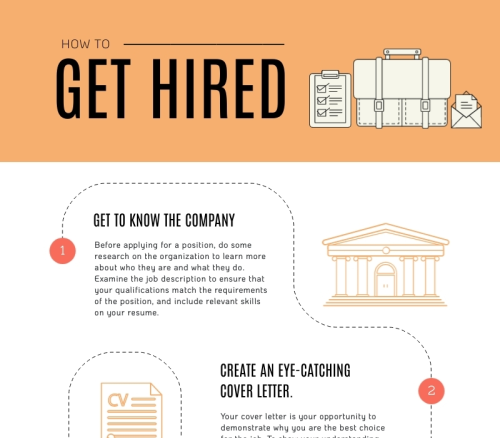
    How to Get Hired Infographic Template
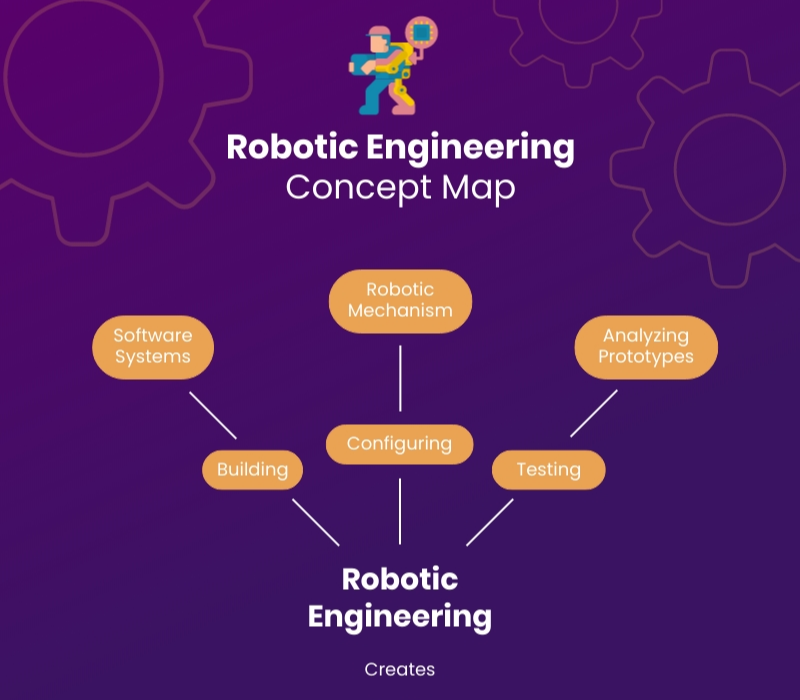
    Robotics Engineering Concept Map Template
    New Product Line Gantt Chart Template
    How to Prepare a Research Presentation Infographic Template
    How to Use Content as a Selling Tool Infographic Template
    Integrated Care Management Template
    NFT Marketplace Infographic Template

    Table of Contents

  • hello

    [For Hire] I will build you a custom AI Agent / Chatbot using GPT-4, Claude, or LangChain – Starting at $100

    For Hire

    Hey Reddit!

    I build custom AI agents and chatbots for businesses and individuals.

    What I can build:
    – Customer support chatbots
    – AI assistants for your website
    – Document Q&A bots (chat with your PDFs/data)
    – Lead generation agents
    – Workflow automation bots
    – Discord/Slack AI bots

    Tech I use:
    – OpenAI GPT-5.2
    – Claude (Anthropic)
    – Gemini
    – DeepSeek
    – Ollama
    – LangChain / LangGraph
    – Python
    – Various API integrations

    Pricing:
    – Simple chatbot: $100
    – Custom AI agent with integrations: $200
    – Advanced multi-tool agent: $400

    Turnaround: 3-7 days, depending on complexity

    I provide clean, documented code and deployment guidance.

    DM me with your project idea, and I’ll give you a free quote!

  • test page

    Menus

    In WordPress, Navigation Menus consist of 2 types of entities: Menus and MenuItems.

    • Menu: is the entity that groups MenuItems together.
    • MenuItem: The individual items in a Menu. Each MenuItem can be a custom link, or a reference to a connected object such as a Post, Page, Category, Tag, or other entity. MenuItems can have hierarchical relationships with other MenuItems, meaning MenuItems can be nested with parent/child relationships.

    Access Control

    NOTE: Menus and Menu Items in WordPress are not viewable by public requests until they are assigned to a Menu Location. WPGraphQL respects this access control right, so if you are not seeing data in your queries for menus and menu items, make sure the menu is assigned to a location.

    Querying Menus and Menu Items

    Below are some examples of querying Menus and Menu Items

    List of Menus

    Below is an example query for a list of Menus and the Menu Items associated with the menu.

  • In-depth guide to how Google Search works

    Google Search is a fully-automated search engine that uses software known as web crawlers that explore the web regularly to find pages to add to our index. In fact, the vast majority of pages listed in our results aren’t manually submitted for inclusion, but are found and added automatically when our web crawlers explore the web. This document explains the stages of how Search works in the context of your website. Having this base knowledge can help you fix crawling issues, get your pages indexed, and learn how to optimize how your site appears in Google Search.

  • sample post

    this is an example